
Item with a price and quantity. Part of SubtleForms Pro: every paid plan.
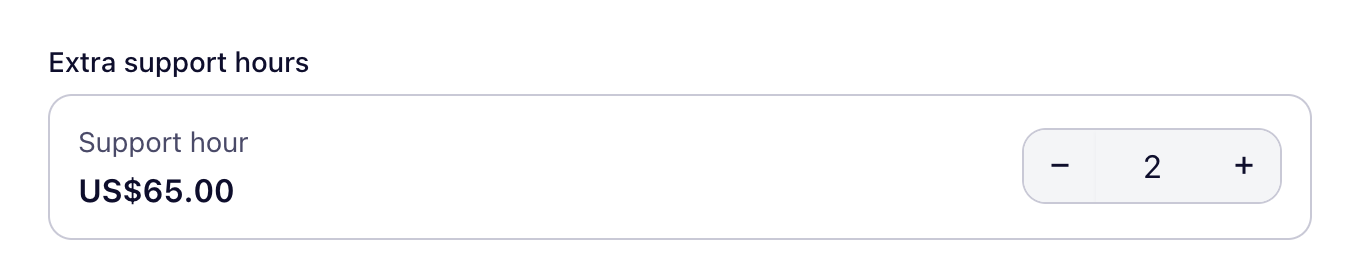
Add it to a form
- Open your form in the builder.
- In the field library, find Product under Payments, or type its name in Search fields.
- Drag it onto the canvas, or click it to add it at the end.
- Select it on the canvas to change its settings.
Settings
Besides the label, help text, required setting, width and logic that every field has, this field has its own settings:
- Name on the order
- Price
- Let visitors choose a quantity
- Minimum quantity
- Maximum quantity
Plans
| Free | Starter | Pro | Agency |
|---|---|---|---|
| Not included | Included | Included | Included |
Changelog
| Version | What changed |
|---|---|
| 2.8.0 | Fix: The payment fields and the WooCommerce product field show their own icons in the field library again. |
| 2.6.0 | Change: The Product Fit Quiz, Work Style Quiz, Health & Wellness Questionnaire and NPS Survey templates now score the answers and show a result by score range, such as Starter, Growth or Agency with a short reason. |
| 2.4.1 | Fix: The entry PDF shows the product name for a WooCommerce Product answer instead of its IDs. |
| 2.4.0 | Fix: A Custom amount outside its minimum or maximum, a Product quantity above its maximum and a Priced option that is not offered are refused, instead of being charged a different amount. A pick-one Priced options field charges one option. |
| 2.4.0 | Fix: The live form refuses a Product quantity that is not a whole number, is below the minimum (including the starting 1 when the minimum is higher) or is above the maximum, with the server's messages, before any card payment is started. |
| 2.3.1 | Fix: A payment form priced by Product or Priced option fields failed every autosave with "Unsaved changes" and "Retry autosave", because saving required a fixed amount or an amount field and dropped the checkout settings. Such forms now save, and a failed save names the setting at fault. |
| 2.2.0 | New: WooCommerce Product field with live prices, images, variations and stock, priced on the server |